
How to Fix Blurry Photos in Seconds Using AI (Free & Easy)
2026-04-11 · 10 min read · Enhancer Team
We all have been there. You capture a perfect moment, a birthday smile, a sunset, or a product shot for your store. But when you look at the photo later, it is blurry. The details are gone. The sharpness is missing. And the moment feels lost.
Blurry photos are frustrating. But here is the good news. You do not have to delete them anymore.
Thanks to modern technology, you can now fix blurry photos in just a few seconds. No Photoshop skills needed. No expensive software required. Just upload your image, and the tool does the magic.
In this guide, you will learn exactly why photos become blurry and how to fix them using simple methods. We will also show you the easiest way to unblur photos online for free using a photo quality enhancer.
Whether you want to fix a blurry selfie, restore an old family photo, or sharpen product images for your online store, this guide has you covered.
Why Do Photos Become Blurry?
Before you fix a blurry photo, it helps to know why it happened. Blur can come from different sources. Understanding the cause helps you prevent it next time and choose the right fix.
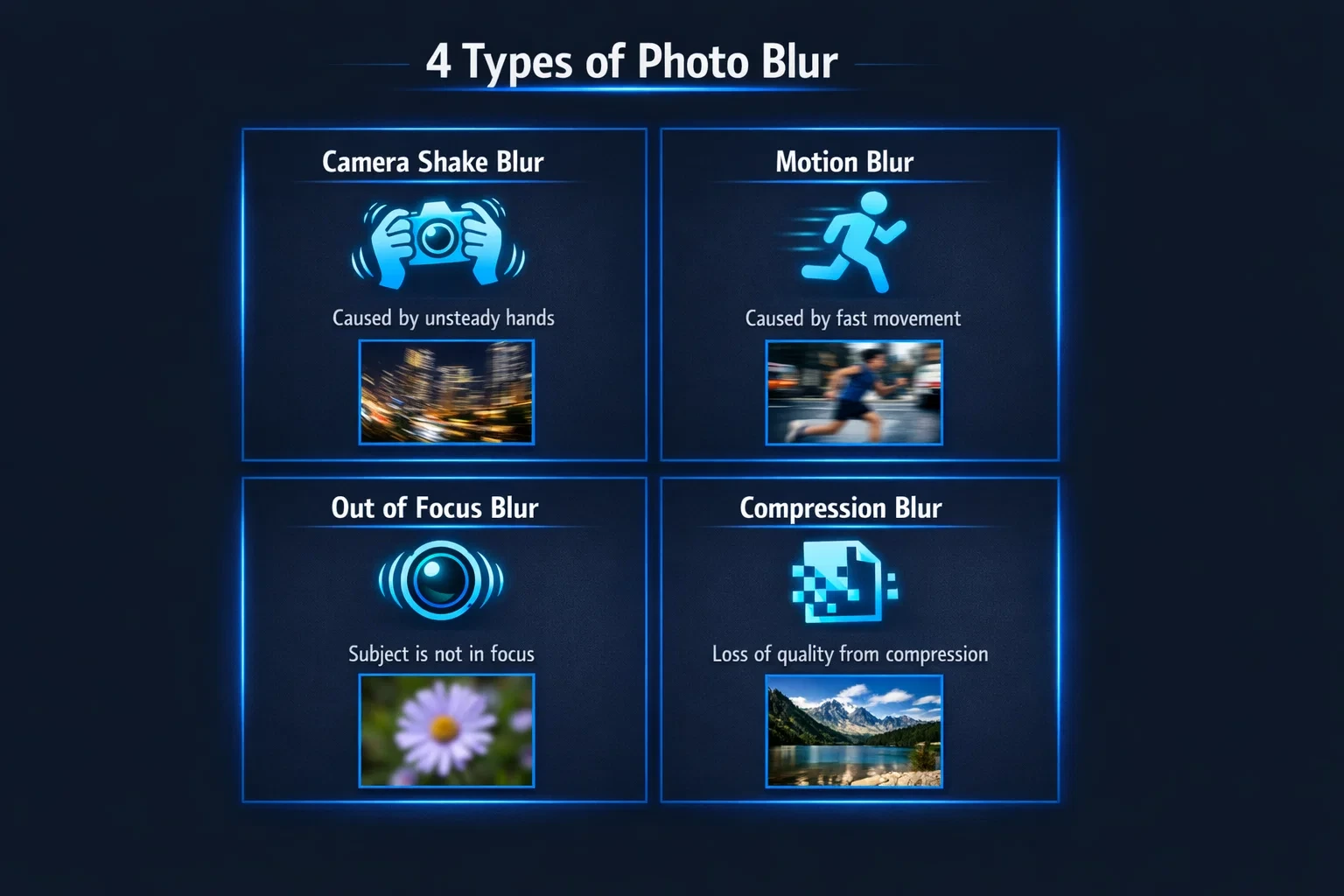
Here are the most common reasons why photos turn out blurry.
Camera Shake
This is the number one reason for blurry photos. When your hand moves while taking a shot, the camera captures that motion. The result is a soft, unclear image.
Camera shake happens more often in low light. Why? Because your phone or camera uses a slower shutter speed to let in more light. And the longer the shutter stays open, the more any small movement shows up as blur.
Even a tiny hand tremor can ruin an otherwise perfect shot.
Motion Blur
Motion blur happens when your subject moves while the camera is taking the photo. This is common with kids, pets, sports, or anything that does not stay still.
The camera captures the movement as a streak or smear across the image. The faster the subject moves, the worse the blur gets.
Motion blur is tricky because your background might look sharp, but your main subject is blurry.
Out-of-Focus Issues
Sometimes the camera focuses on the wrong thing. You wanted to capture a person's face, but the camera focused on the wall behind them. Now the face is soft and blurry while the background is perfectly sharp.
This happens a lot with smartphone cameras that use auto-focus. The camera guesses what you want to focus on, and sometimes it guesses wrong.
Out-of-focus blur is different from motion blur. The image is not smeared. It just looks soft and lacks detail.
Low Resolution or Compression
This type of blur is not from the camera itself. It happens after you take the photo.
When you send images through WhatsApp, Messenger, or other apps, they compress the file to make it smaller. This compression removes details and makes the image look blurry or pixelated.
The same thing happens when you take a screenshot from a video or download a low-quality image from the internet. The pixels are stretched, and the result is a fuzzy, unclear picture.
Can You Actually Fix a Blurry Photo?
Yes, you can. But let us be honest about what is possible.
A few years ago, fixing a blurry photo was almost impossible. Once the detail was gone, it was gone. You could sharpen the image a little, but it would look unnatural and grainy.
Today, things are different. Modern photo quality enhancer tools use advanced technology trained on millions of images. They learn what faces, textures, edges, and objects should look like. When you upload a blurry photo, the tool does not just sharpen it. It actually rebuilds the missing details.
Think of it like this. Traditional sharpening is like turning up the contrast on a blurry image. Modern enhancement is like teaching the computer to guess what the sharp version should look like, and then creating it.
This is why enhanced photos look natural and clear, not over-processed or fake.
But here is the truth. Even the best tools have limits.
If your photo is extremely blurry, like a complete smear with no recognizable shapes, even the best enhancer cannot fully recover it. The same goes for very low resolution images, like tiny thumbnails that are only 50 pixels wide. There is simply not enough information left to work with.
However, for most common blur problems like camera shake, slight motion blur, out-of-focus shots, or compressed images, a good photo quality enhancer can do an amazing job. You will be surprised how much detail it can bring back.
The best part? You do not need any editing skills. You do not need to download software. You just need the right tool.
5 Ways to Fix Blurry Photos
Now, let us get into the practical methods. Here are five proven ways to fix blurry photos, starting with the fastest and easiest option.
Method 1: Use an Online Photo Quality Enhancer (Fastest)
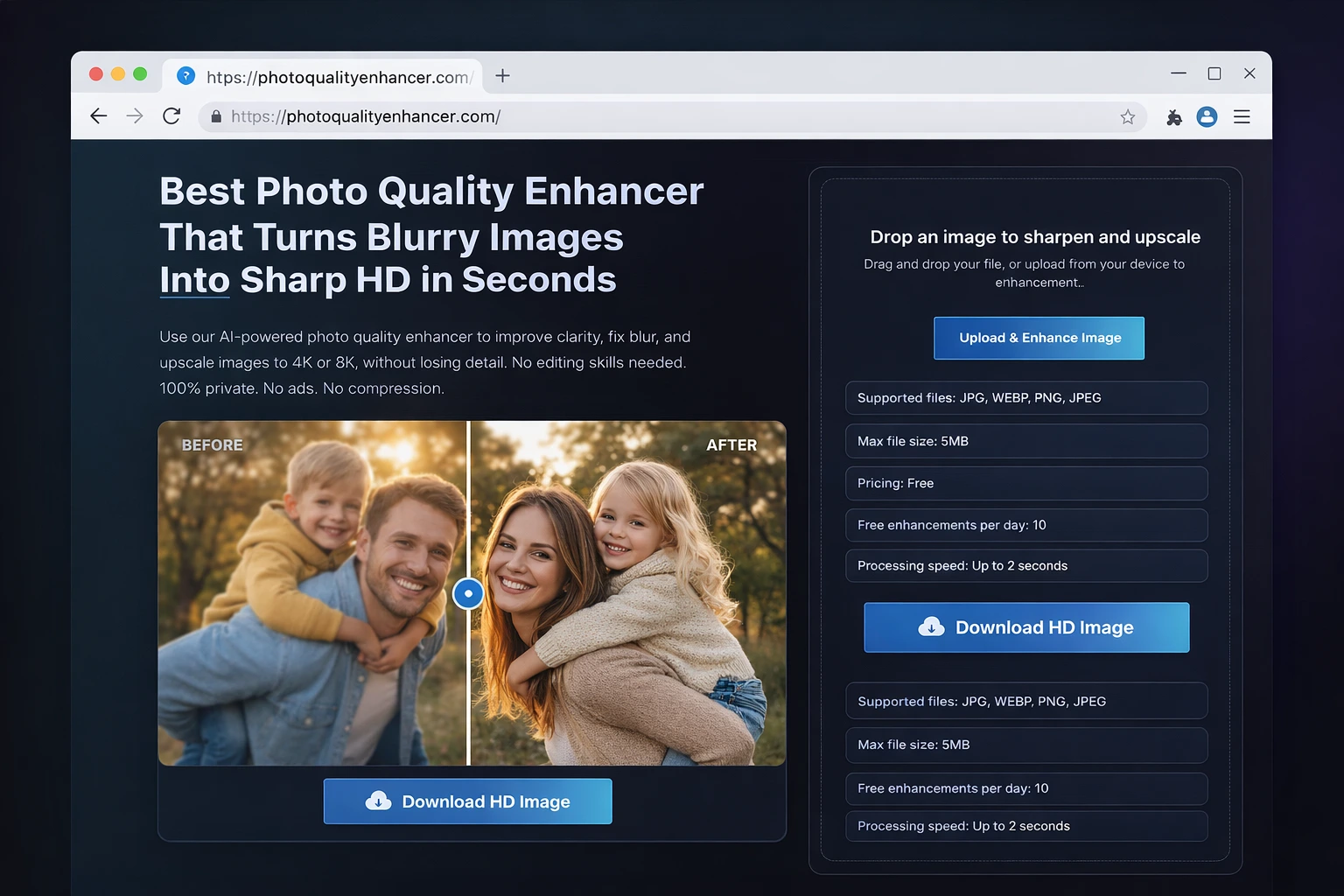
This is the easiest method for most people. Online tools like Photo Quality Enhancer let you fix blurry images in seconds without downloading anything.
Here is how it works:
Step 1: Go to photoqualityenhancer.com
Step 2: Upload your blurry image (JPG, PNG, or WEBP)
Step 3: Select your image category (portrait, product, family photo, etc.)
Step 4: Click Enhance and wait 2-3 seconds
Step 5: Download your sharp, clear image
Why is this method the best?
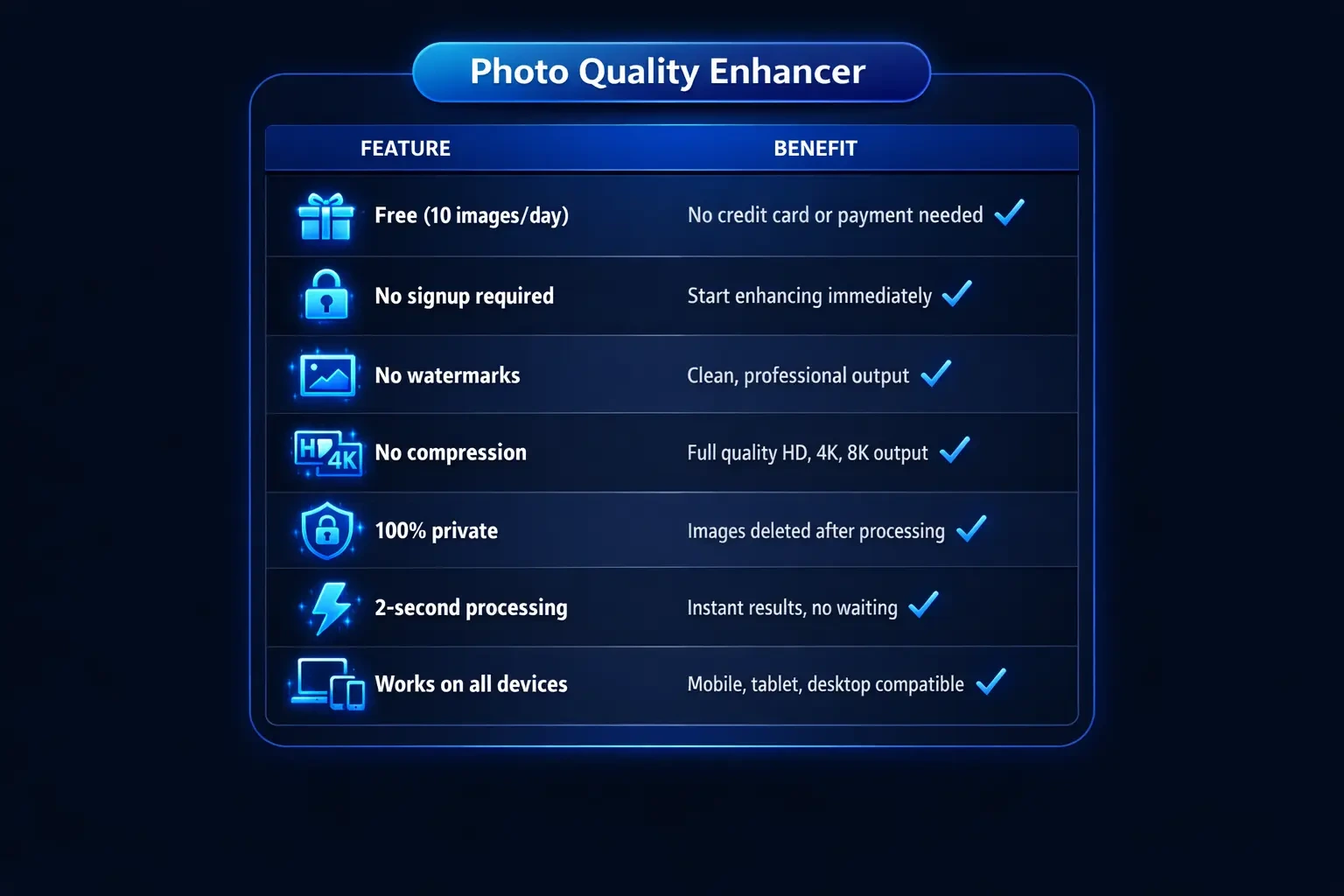
• Free to use (10 images per day)
• No signup or account required
• No watermarks on your images
• No compression (full quality output)
• 100% private (images are deleted after processing)
• Works on mobile and desktop
• Supports upscaling up to 8K resolution
Method 2: Use Photoshop (Manual Method)
If you have Adobe Photoshop, you can manually sharpen blurry images using built-in filters.
Steps:
1. Open your blurry image in Photoshop
2. Go to Filter > Sharpen > Smart Sharpen
3. Adjust the Amount and Radius sliders
4. Use the Remove dropdown to select blur type (Gaussian, Lens, or Motion)
5. Click OK and save your image
Pros: Full control over sharpening settings
Cons: Requires paid subscription ($22.99/month), steep learning curve, time-consuming
Method 3: Use Mobile Apps
Several mobile apps can help you sharpen blurry photos directly on your phone.
Popular options:
Snapseed (Free): Use the Details tool to sharpen images. Good for basic fixes.
Lightroom Mobile (Free with premium): Professional-grade sharpening with noise reduction.
Remini (Free with ads): Uses enhancement technology for faces and portraits.
Pros: Convenient, works on mobile
Cons: Ads, watermarks on free versions, limited quality compared to dedicated tools
Method 4: Use Desktop Software
If you prefer offline tools, several desktop programs can help fix blurry images.
Options:
GIMP (Free): Open-source alternative to Photoshop. Use Filters > Enhance > Sharpen.
Topaz Sharpen AI ($79.99): Dedicated sharpening software with advanced algorithms.
DxO PhotoLab ($139): Professional photo editing with smart sharpening features.
Pros: Works offline, powerful features
Cons: Expensive (except GIMP), requires download and installation, learning curve
Method 5: Prevent Blur in Future (Pro Tips)
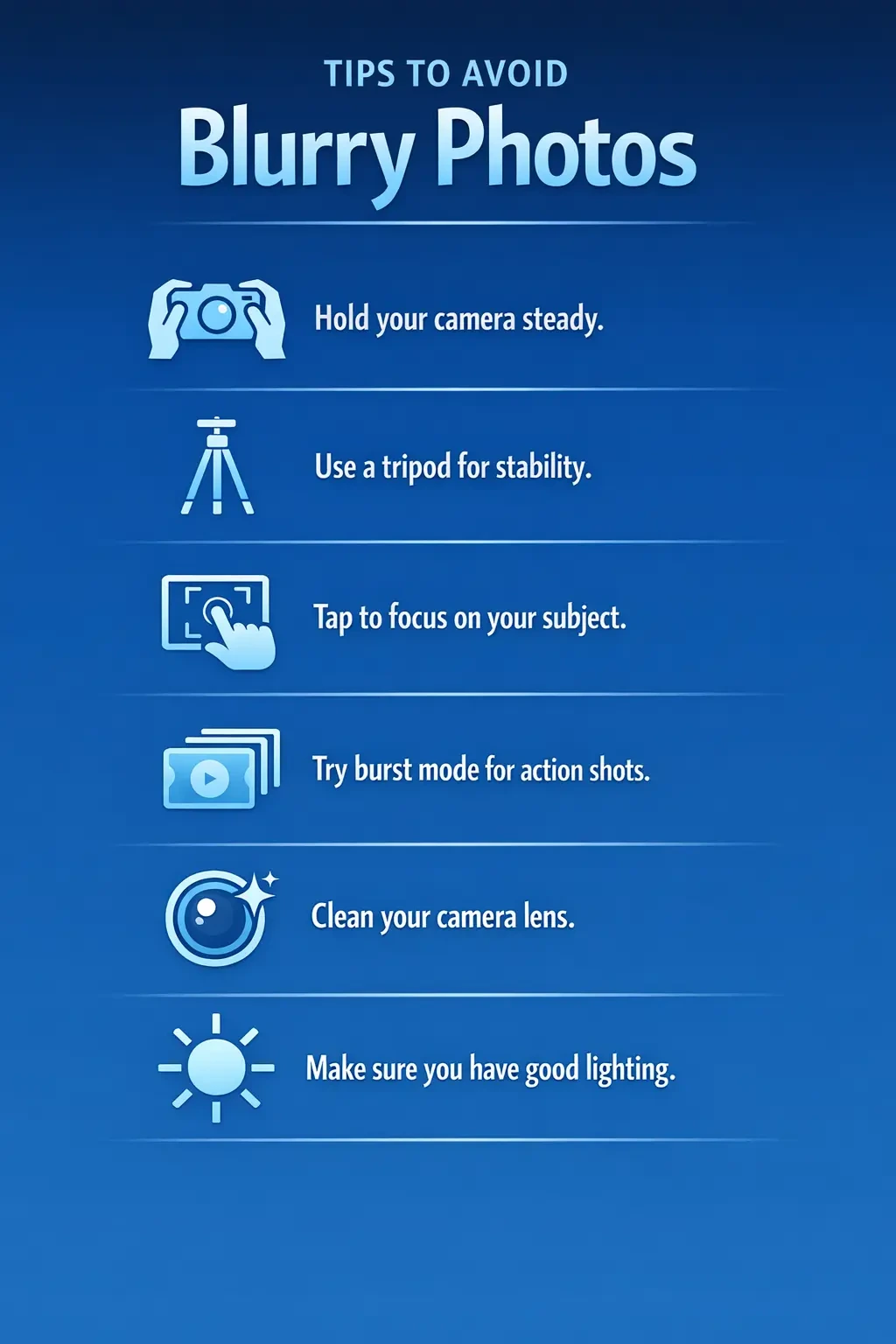
The best fix for blurry photos is to avoid them in the first place. Here are some tips to capture sharper images.
Hold your phone steady: Use both hands and brace your elbows against your body.
Use a tripod: Even a small phone tripod eliminates camera shake completely.
Tap to focus: Always tap on your main subject before taking the shot.
Use burst mode: For moving subjects, hold the shutter to take multiple shots.
Clean your lens: A dirty camera lens causes soft, hazy photos.
Use good lighting: More light means faster shutter speeds and sharper photos.
Comparison: Which Method is Best for You?
Not sure which method to choose? Here is a quick comparison to help you decide.

Best Tool to Fix Blurry Photos Online Free
If you want the fastest, easiest way to fix blurry photos, we recommend using Photo Quality Enhancer.
Here is why it stands out from other tools:
Before and After Examples

Seeing is believing. Here are some real examples of how Photo Quality Enhancer transforms blurry images into sharp, clear photos.
Example 1: Blurry Portrait Photo
A portrait photo with camera shake blur was enhanced to show sharp facial details, clear eyes, and natural skin texture. The background noise was removed while keeping the natural look.
Example 2: Low-Quality Product Image
A compressed product image from an old listing was upscaled to 4K resolution. The colors became more vibrant, edges sharper, and the overall quality became professional enough for a premium ecommerce store.
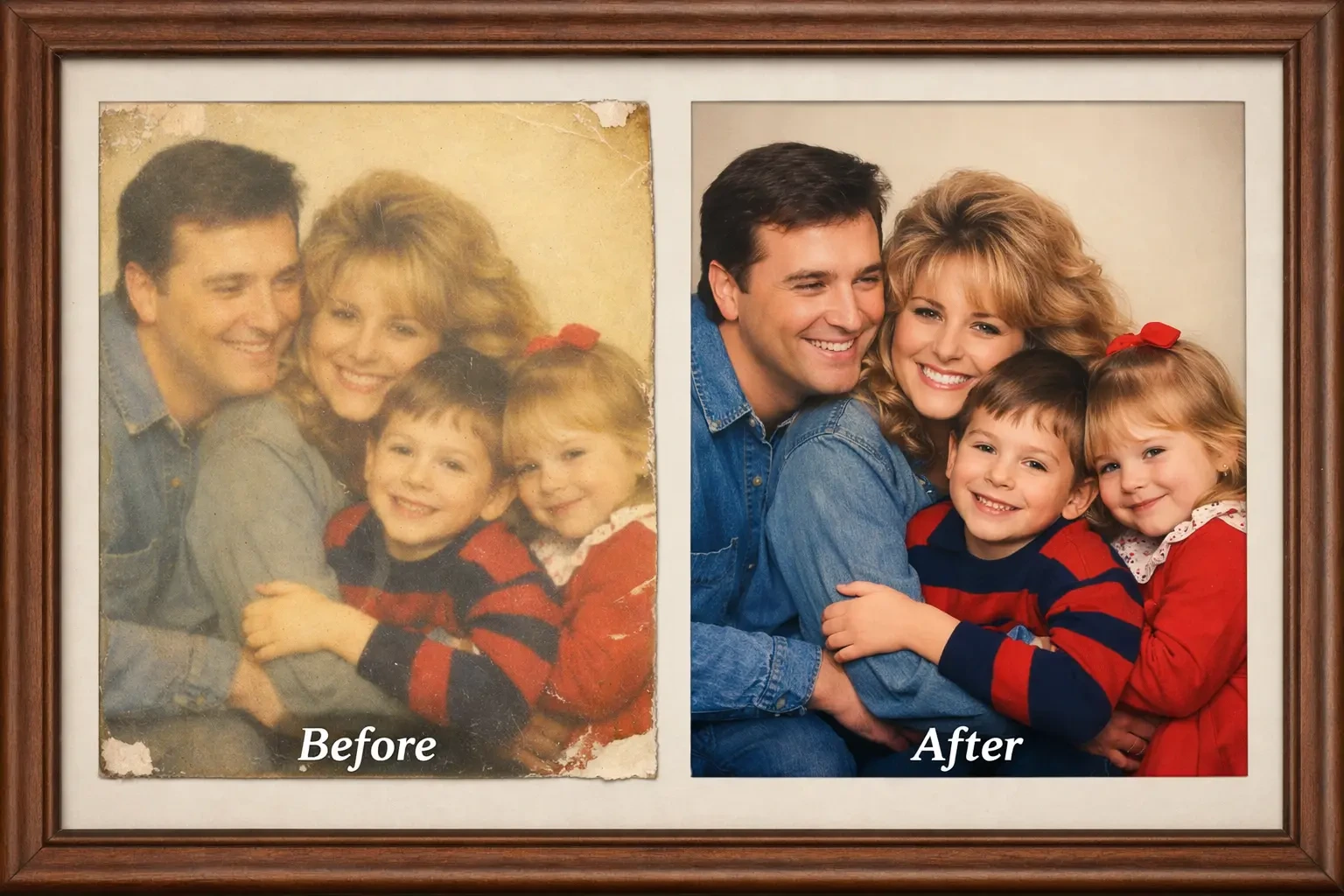
Example 3: Old Family Photo
A faded, blurry family photo from the 1990s was restored with image enhancement. The faces became clear, colors were corrected, and the photo now looks like it was taken with a modern camera.
When You Cannot Fix a Blurry Photo
We want to be honest with you. Not every blurry photo can be saved. Here are some situations where even the best tools have limitations.
Extreme motion blur: If your subject is completely smeared across the frame with no recognizable shapes, the photo may be too damaged to recover.
Very low resolution: Tiny thumbnails (under 100 pixels) simply do not have enough data to enhance. You cannot create details from nothing.
Severely corrupted files: If the image file itself is corrupted or partially missing, enhancem
ent tools cannot help.
Heavy overexposure: If parts of your photo are completely white (blown out), that data is lost and cannot be recovered.
However, for the most common blur problems like slight camera shake, compression artifacts, or out-of-focus shots, you will be surprised how much improvement is possible.
Frequently Asked Questions
Here are answers to the most common questions about fixing blurry photos.
Can I fix a blurry photo for free?
Yes. Tools like Photo Quality Enhancer let you fix up to 10 blurry photos per day completely free, with no watermarks or quality loss.
How do I unblur a picture on my phone?
Open photoqualityenhancer.com in your mobile browser, upload your blurry photo, and tap Enhance. The tool works on all smartphones without needing to install any app.
Does fixing blur reduce photo quality?
With quality tools, no. Photo Quality Enhancer actually improves your photo quality by adding sharpness, reducing noise, and enhancing details. There is no compression, so you get full-quality output.
Can I fix motion blur in photos?
Yes, modern enhancement technology can significantly reduce motion blur. However, extreme motion blur where the subject is completely smeared may have limited improvement.
Is it safe to upload personal photos online?
Use trusted tools that prioritize privacy. Photo Quality Enhancer does not store your images. All photos are automatically deleted after processing, and no human ever sees your pictures.
Can I enhance old scanned photos?
Absolutely. Photo restoration tools are great for old family photos, vintage images, and scanned pictures. They can fix fading, remove noise, and sharpen details.
What file formats are supported?
Most online enhancers support JPG, JPEG, PNG, and WEBP formats. These cover 99% of common image files.
Do I need editing experience to fix blurry photos?
No. With modern online tools, anyone can fix blurry photos. Just upload your image, click one button, and download the enhanced result. No editing skills required.
Conclusion
Blurry photos do not have to be deleted anymore. Whether it is camera shake, motion blur, out-of-focus shots, or compressed images, you now have the tools to fix them.
The easiest and fastest method is to use an online photo quality enhancer. No downloads. No signups. No watermarks. Just upload your blurry image and get a sharp, clear result in seconds.
Ready to fix your blurry photos? Try Photo Quality Enhancer now — it is free and takes just 2 seconds.